
A client portal for scope approval, delivery and invoices
Share published projects and documents with the people allowed to view, request, approve or pay for them.
Each action has its own permission
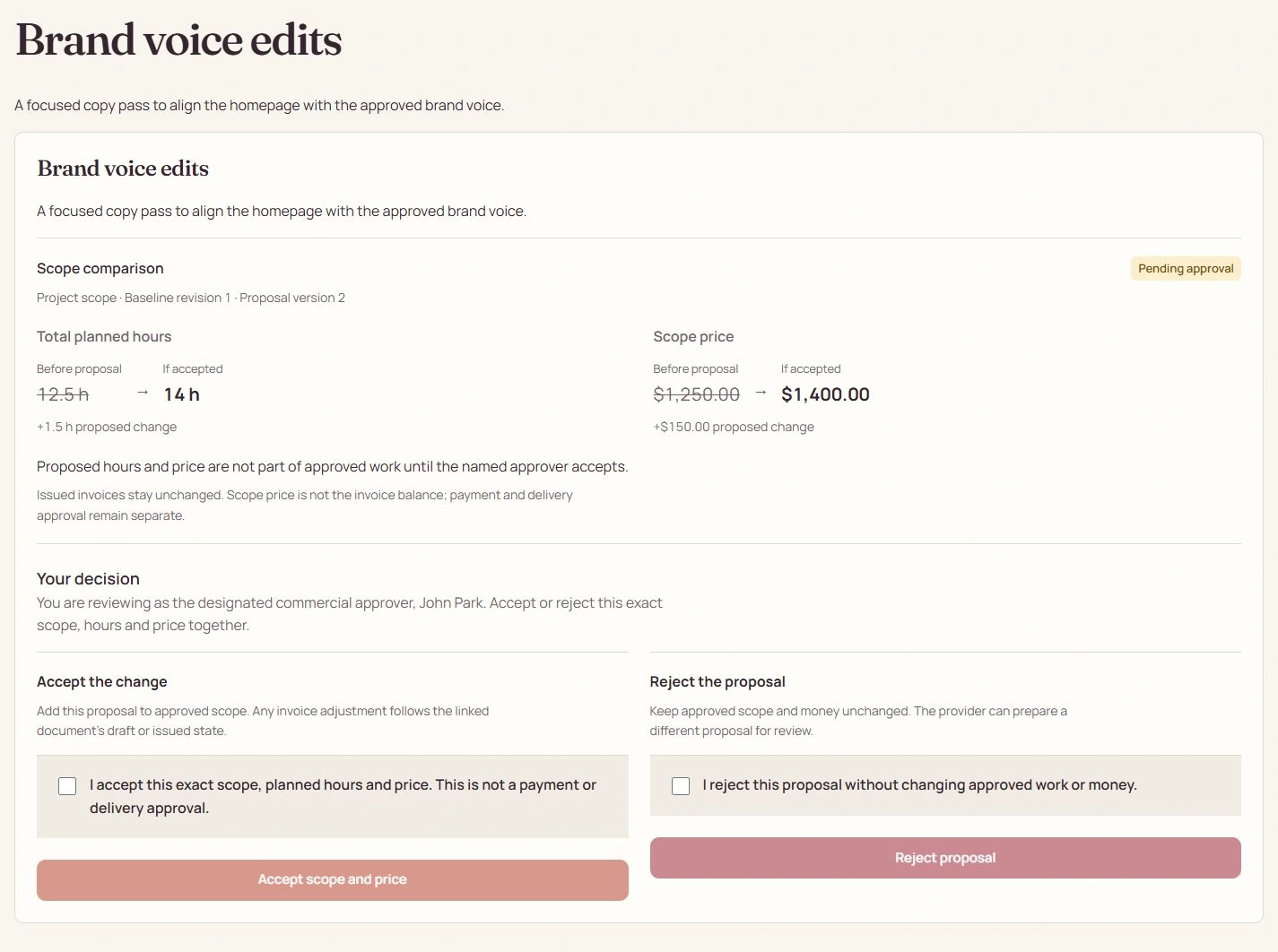
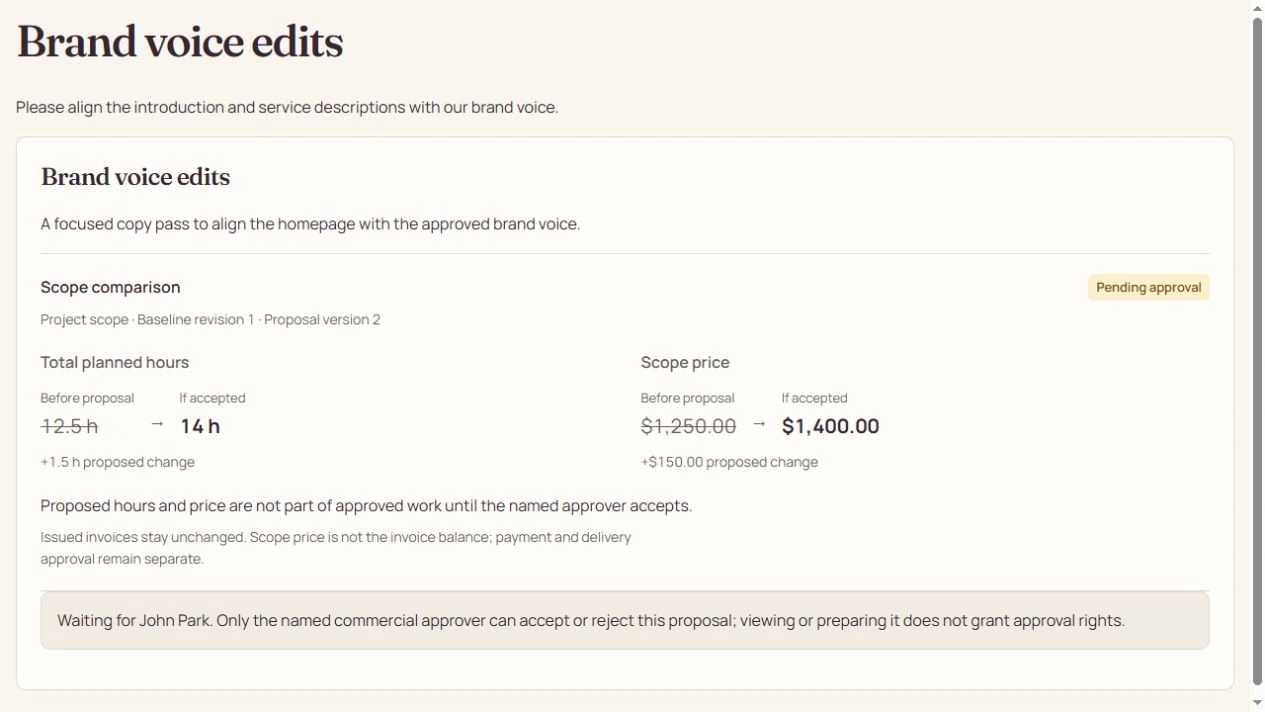
Viewing a project does not confer payment or approval authority. A requester describes an outcome; the designated commercial approver decides the priced scope proposal. Delivery approval applies to a current published version, independently of commercial acceptance or payment.
Publish a client view, not your internal board
Clients see shared top-level deliverables and aggregate approved progress. Private leaf names, assignments, costs, time and notes remain internal. Project messages require explicit participant access. Multi-organization contacts choose which organization they are entering.
Give the right person the right decision.
- Commercial approver
- Decides the current priced scope proposal against its named baseline.
- Delivery approver
- Reviews the current published deliverable and its eligible covered work.
- Payer
- Pays a permitted invoice. Payment authority does not include either approval grant.
A payment link stays document-only
An expiring guest link can open its one issued invoice and permitted payment or download actions. It never signs the recipient in, exposes a project browser, starts chat or grants consent authority. Invalid, expired and revoked links reveal no document details.
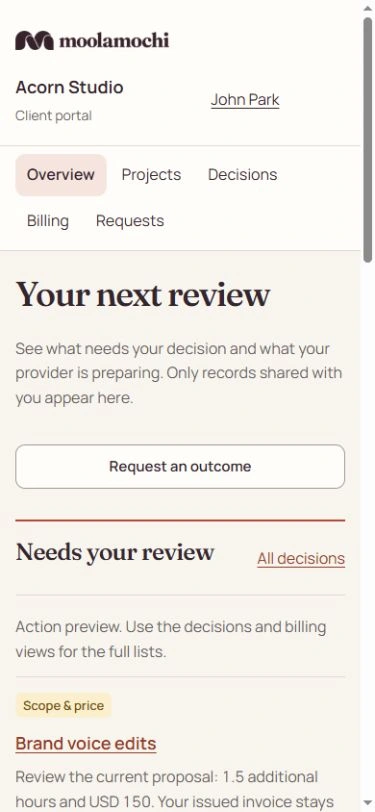
Open the full-size image to inspect the controls. Your available actions depend on the record’s state and your explicit permissions.
See the steps before you act.
Watch a silent recording of the actual interface, with captions and written steps.
Open the complete Help Center guideWatch the walkthrough and read the steps
Give each client only the authority they need
Who acts: Workspace Owner or Admin → intended verified client
Set organization, project and explicit grants instead of treating one portal invitation as permission to approve everything.
Go straight to the steps
Playback and accessibility
Use Play or Pause, move back or forward 10 seconds, or restart from the title screen. Tab to a button, then press Enter or Space. Action captions are included in the video, and the complete written steps follow below.
Download the action captionsGo straight to the written stepsChoose the intended client and project scope
Open Team and client access, then Invite a person. Enter the Intended verified email, choose client Access type, select Client organization and narrow Project scope. Organization-wide access is broader than one project.
Select independent client grants
Under Explicit client grants, select only the required viewer, requester, commercial approver, delivery approver, payer or message participant permissions. Payment authority does not imply approval authority. Private mailbox access is never included.
Prepare the invitation without queuing email
The recording enters a viewing recipient and narrow client/project scope, without creating an invitation. In production, review grants before Create and queue invitation. Only the intended verified email can accept once before the seven-day expiry. Queued is not delivered, and clients see only published permitted records.
Review exact-grant revocation and cancel
The recording opens Revoke grant for one explicit permission, then cancels without changing access. A real confirmed revocation removes only that grant and scope. Other grants remain independent. For one invoice, prefer a revocable document link; it cannot open project chat or grant commercial consent.
What changes when you finish
The right person can view, request, decide or pay within their explicit scope. Neither an internal role nor a guest invoice link can impersonate client consent.